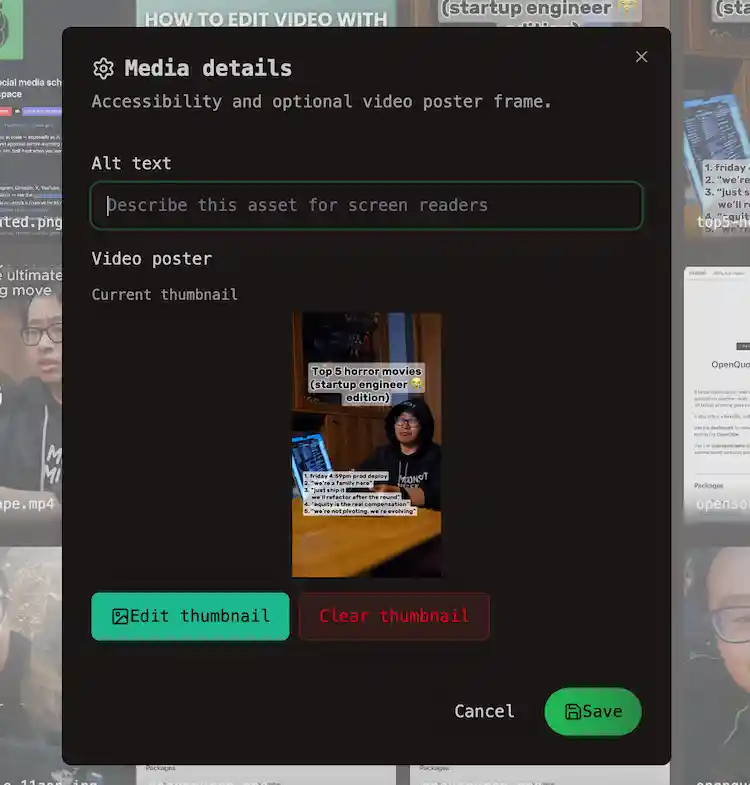
Media details
Set alt text and video poster frames for files in the workspace media library.
Connect your agent today
Draft from chat, review in your calendar, and publish only what you approve.
Media details
Describe images for accessibility and pick a cover frame for videos.
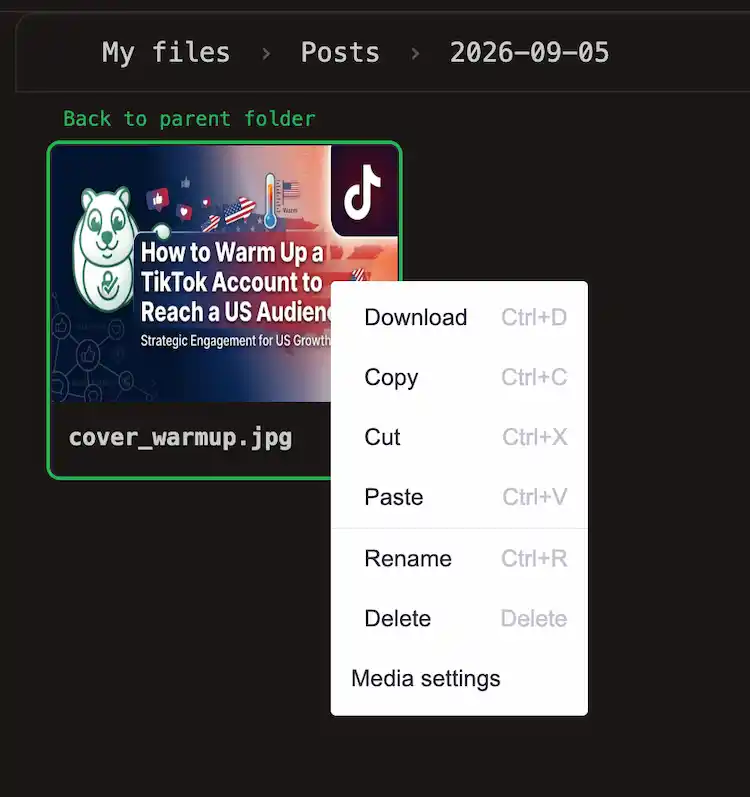
Open Media details from the library in any of these ways:
| Entry point | How |
|---|---|
| File manager | Open a file, or right-click → Media settings |
| Gallery view | Use the settings control (Gear Icon) on a tile |
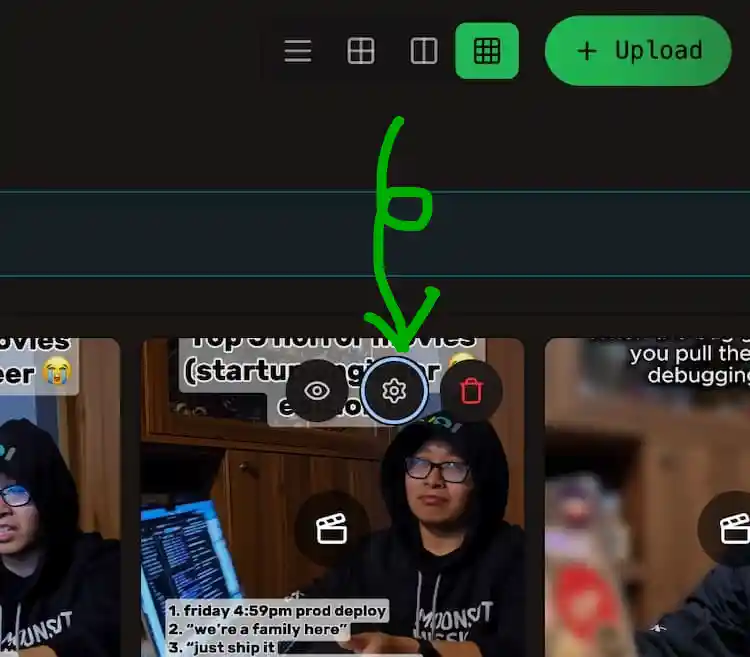
The same dialog is available from the post editor when you click a thumbnail or the gear on an attachment. Changes save to the workspace media library and apply wherever that file is reused.
Alt text
| Field | Rule |
|---|---|
| Alt text | Up to 2000 characters. Describes the image for screen readers and previews. |
Alt text is most useful for images. It is stored with the file in OpenQuok. At publish time, OpenQuok does not send alt text to every network API — platform behavior varies.
Video poster
For video files you can set a thumbnail image:
- Choose Create thumbnail (or Edit thumbnail).
- Move the slider to the frame you want.
- Click Use current frame as thumbnail.
- Clear thumbnail removes a poster you set earlier.
Tip
On some channels (for example Instagram Reels), the frame you pick here can become the video cover when the post goes live. You choose the frame in Media details — not in per-channel Settings.
Note
Captions, tags, link previews, and other publish-only options stay in composer Settings, not in Media details. See Per-channel settings.
Note
If you edit the same file from the post editor and from /account/media, you see one shared Media details. Saving in either place updates the library copy.